
白饭鱼 · BaifanYu
A rice-eating whale girl · macOS · Windows · Android
A rice-eating whale girl who lives on your desktop. Hold her and drag her anywhere; drop her at the left or right edge of the screen and she hangs there with only her head showing, so she never blocks what you are looking at — on macOS, on Windows and on Android.
Free & open source · three native builds: Swift / C++ / Java · nothing ever leaves your device
One character, three native builds
白饭鱼 / BaifanYu began as an Android desktop pet by @LIN428924379 — the character, the artwork and the interaction design are his. The macOS (Swift) and Windows (C++) builds are ports by @duhaoze2007. All three share one set of artwork and one set of behaviours.
One whale, three native builds
No runtime to install and no account to create: a .dmg on macOS, a single .exe on Windows, an .apk on Android. Pick your desktop.
Two skins, twelve expressions
The bowl-head skin and the maid outfit, each with six expressions. Clicking her swaps the whole artwork, so there is never a seam where a face was pasted on. Every build — Android included — uses these same files.
 bowl-head

Standing art + six expressions, both skins — the artwork every build ships, unchanged.
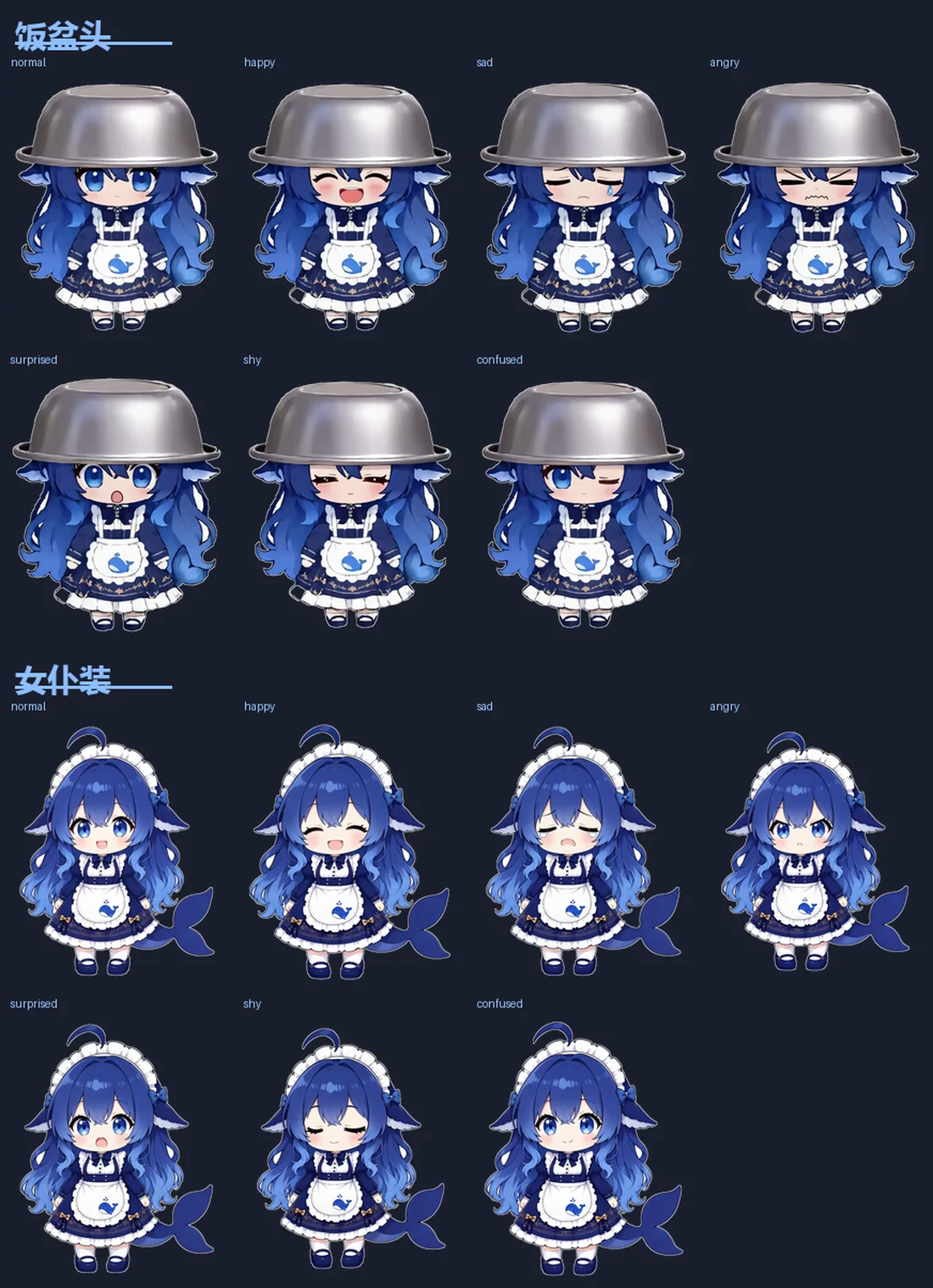
The Android build's own artwork sheet (bowl-head skin), exactly as it ships in the Android repository — the desktop builds reuse this file unchanged.
The same whale on every platform
Drag her, click her, and she is happy. Each card says which builds have that feature.
Pick your platform — three ways in
None of the three builds needs an account. The desktop versions need no permissions at all; Android needs exactly one.
One design, three window systems
The Android app is a foreground service with a TYPE_APPLICATION_OVERLAY window. Each desktop build finds its own equivalent — macOS an NSPanel, Windows a layered non-activating popup — while keeping the Android behaviours.
Build any of the three yourself
No dependency managers, no project generators — one build script per platform.
Two authors, one whale
A collaboration: the Android build and everything that makes her charming come from @LIN428924379; the two desktop builds are ports by @duhaoze2007. The same list ships inside each app.